
Zangi - Private Messenger
Secret Phone, IncCommunication
4.212.94K Reviews
- Version
- 6.6.3
- Installs
- 50.00M
- Age Rating
- Everyone
Screenshots
Our Review of Zangi - Private Messenger
 Analysis by Appyee
My first-week reaction to Zangi Private Messenger was that it feels familiar enough to try without a learning curve, while putting privacy closer to the center than many everyday chat apps do. That makes it easy to explore, but the more useful question is whether it earns a lasting place on your phone once the initial curiosity wears off. I think it can, provided the people you need to reach are willing to use it too.
Easy to try, harder to make a habit
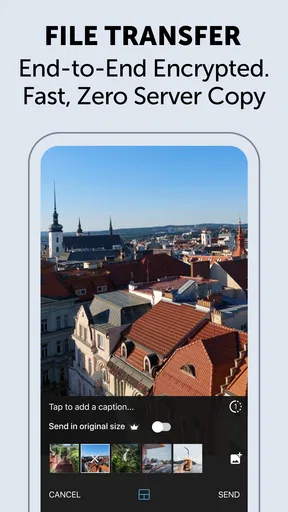
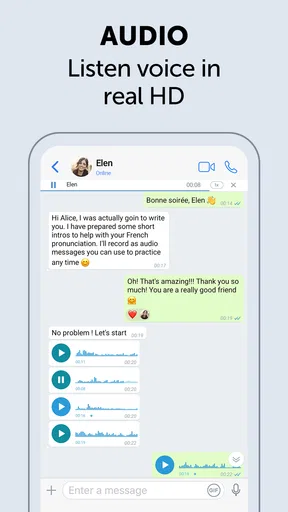
The appeal in the first few days is straightforward: I can use one app for text and voice messages, calls, and sharing images, videos, and files. That covers the ordinary exchanges that usually keep a messenger installed. The interface feels approachable, so I don’t have to spend the first evening hunting for basic options or persuading less technical friends to learn a complicated system.
The challenge is the familiar one with any alternative messenger: it only becomes useful when the right people are there. I wouldn’t ask everyone I know to move over just because I like the privacy focus. Instead, I’d start with one person or a small group that has a clear reason to try it, then see whether communication naturally continues. That makes the decision less about novelty and more about whether it fits an existing routine.
A practical test in an ordinary week
Imagine coordinating a change of plans with a friend who is travelling. You can send a short message, switch to a call if typing becomes awkward, and share a photo or file in the same conversation. If your connection drops while you’re composing a message, the offline option is intended to let you write it and send it when you’re back online. That can be handy when service is patchy, though it is not a substitute for a working connection when you need an immediate reply.
I’d also use groups selectively. A small family chat or a team that needs occasional updates has a clearer purpose than a large, noisy group created simply because the feature exists. Channels may suit one-way announcements better than repeated individual messages, but they won’t replace a shared planning conversation where people need to respond and work through details together.
Where it fits among messengers
Compared with a mainstream messenger that most contacts already have, Zangi asks for a little more coordination up front. The usual option often wins on convenience simply because everyone is already there. Zangi’s appeal is different: it gives privacy-minded users a communication app that still handles common messaging and calling needs. I’d choose based on the people and conversations involved, rather than assuming one app has to replace every other one.
That distinction matters if your work, family, or community already depends on another platform’s established groups and habits. Switching everything at once can create missed messages and duplicate conversations. A more realistic approach is to keep the existing app for contacts who won’t move and use Zangi for the conversations where participants actively want it. If you need a service with a particular workplace workflow or a broad public community, check that it meets those needs before treating it as a replacement.
Privacy deserves careful expectations
Zangi’s privacy emphasis is a meaningful reason to consider it, and its security features include end-to-end encryption and self-destructing messages. I’d still treat disappearing messages as a way to reduce how long a conversation remains visible in the app, not as a guarantee that nobody can preserve or share what they see. A recipient can always act outside the app, so sensitive information deserves care whatever messenger you use.
The same caution applies to any strong privacy claim: good habits matter alongside software. I’d check the app’s current privacy and security settings before moving important conversations, and make sure the people in a chat understand how they want to handle sensitive material. The app can be part of a more deliberate communication routine; it cannot make every recipient trustworthy or every device safe.
Who is likely to keep using it?
I can see Zangi suiting someone who wants private messaging and calling in one place, and who has a few friends, relatives, or colleagues willing to join them. It may also suit people who regularly deal with unreliable connectivity, since being able to prepare a message offline can save a draft-like step in the moment. The strongest case is not simply “I want another messenger”; it is “these particular conversations would benefit from this one.”
I’d skip it if your main priority is reaching the widest possible circle with no setup, or if the people you communicate with are firmly attached to another app. I’d also avoid choosing any messenger solely on a broad promise of privacy without checking whether its current settings and practices fit your needs. For someone who needs a specific collaboration system or a large existing audience, a more established alternative may be the practical choice.
What the day-to-day trade-offs feel like
Once the first-week exploration is over, recurring value comes from small, repeatable uses: keeping a private conversation in one place, making a call without jumping between apps, or sharing a file with a group that already uses Zangi. Those tasks are ordinary by design. If they happen often, the app has a reason to stay; if they happen only once, it may remain an extra icon competing for attention.
One useful tip is to decide in advance which conversations belong here. Keeping a small, purposeful set of chats makes it easier to notice whether the app is actually helping, and avoids splitting the same discussion across several platforms. For groups, agree on where replies should go before using a channel for announcements; otherwise, people can miss the difference between a broadcast and a conversation that expects responses.
Another trade-off is that privacy-oriented tools can encourage a false sense of certainty. Encryption and disappearing messages are valuable features, but they don’t remove the need to verify who is in a group, think before sending a file, or consider whether a message could be copied elsewhere. I’d use those features as safeguards within a sensible routine, not as permission to send anything without judgment.
Costs, updates, and ongoing upkeep
Zangi is free to install, with in-app purchases ranging from about $1.49 to $59.99 per item. I’d begin with the free experience and only consider a purchase if I understand what it adds and expect to use it repeatedly. That keeps a trial from turning into an unnecessary expense. Its Everyone content rating is broad, but it doesn’t tell me whether the app suits a child’s communication needs; that depends on family expectations and supervision.
The app is developed by Secret Phone, Inc. It launched on November 18, 2014, and version 6.4.5 requires Android 6.0 or later. Its age and continued development history may be reassuring to someone wary of a brand-new service, but I’d still keep the app updated and periodically review its settings. Maintenance here is less about constant tinkering than making sure the app remains compatible with your device and that your privacy choices still match how you use it.
Its average rating is 4.2 from around 225,000 ratings, with roughly 10,000 written reviews, and it has over 50 million installs. That gives a prospective user a sense that it has reached a large audience, but popularity alone doesn’t prove it will suit your contacts or habits. I’d treat those figures as background, then make the decision based on whether the people you care about will actually communicate there.
Privacy at Its Core
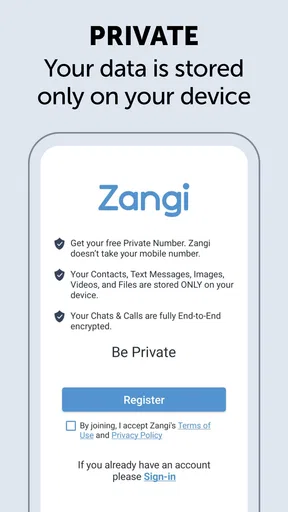
First things first, Zangi Private Messenger is all about privacy. In an age where everyone seems to know everything about everyone, this app is a breath of fresh air. The app doesn’t store your data on servers, which means no one can access your messages, not even Zangi. So, if you're someone who's a little paranoid about privacy (and let's be real, who isn't these days?), this app could be your new best friend.
Smooth and User-Friendly Interface
Installing the app was a breeze, and the interface? Slick and simple. You don't have to be a tech wizard to navigate through this app. Everything is pretty intuitive, which I appreciate because I have the patience of a goldfish when it comes to complicated apps. The design is clean, which makes finding features and settings straightforward.
One of my favorite things about Zangi is how smoothly it runs. No lag, no crashes, just seamless communication. Whether you're sending a quick text or making a crystal-clear voice call, the experience is as smooth as butter.
Messaging and Calls
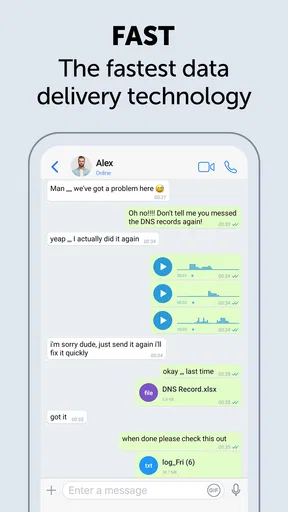
Now, onto the actual messaging. The app supports both text and voice messages, and I was pleasantly surprised by the call quality. It's like talking to someone right next to you, even if they're halfway around the world. The app uses a unique type of compression, ensuring that your calls and messages remain private without compromising quality.
And for the emoji lovers out there, fear not! Zangi has a good selection of emojis to spice up your conversations. Plus, you can share images, videos, and even files effortlessly. It's everything you'd expect from a modern messaging app.
Group Chats and Channels
If you love group chats as much as I do, you'll appreciate Zangi's group chat feature. You can create a group with just a few taps and add your friends or colleagues. The app also has channels, similar to other messaging platforms, where you can broadcast messages to a larger audience. It's perfect for businesses or anyone looking to share updates without spamming individual chats.
Offline Messaging
Here's something that blew my mind: offline messaging. Yes, you heard that right. Even if you're in the middle of nowhere with zero internet, Zangi allows you to compose messages. Once you're back online, it sends them automatically. It's like magic, but real!
Security Features
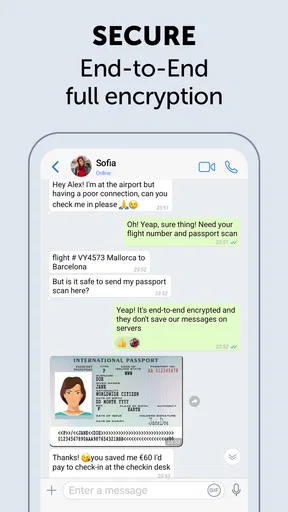
Security is where Zangi really shines. The app offers end-to-end encryption, so your messages are only readable by you and the person you're communicating with. Plus, Zangi uses a decentralized infrastructure, which means there’s no central server that hackers can target. Talk about peace of mind!
There's also a feature to self-destruct messages after a certain period, adding another layer of security. It's like having a mission impossible for your chats!
Conclusion
In a world where data is the new currency, Zangi Private Messenger offers something truly refreshing – genuine privacy. With its user-friendly interface, top-notch security features, and seamless communication, it's a solid choice for anyone looking to keep their conversations private. So, if you're tired of feeling like Big Brother is always watching, give Zangi a try. You might just find it’s the app you never knew you needed.
Privacy and Permissions
See what permissions an app requests and how it handles your data.
- Identity
- find accounts on the device, add or remove accounts, read your own contact card
- Contacts
- find accounts on the device, read your contacts, modify your contacts
- Location
- approximate location (network-based), precise location (GPS and network-based)
- Phone
- directly call phone numbers, read phone status and identity
- Photos/Media/Files
- read the contents of your USB storage, modify or delete the contents of your USB storage
- Storage
- read the contents of your USB storage, modify or delete the contents of your USB storage
- Camera
- take pictures and videos
- Microphone
- record audio
- Wi-Fi connection information
- view Wi-Fi connections
- Device ID & call information
- read phone status and identity
- Other
- view network connections, create accounts and set passwords, read battery statistics, pair with Bluetooth devices, access Bluetooth settings, send sticky broadcast, change network connectivity, allow Wi-Fi Multicast reception, connect and disconnect from Wi-Fi, disable your screen lock, full network access, close other apps, change your audio settings, read sync settings, run at startup, reorder running apps, draw over other apps, use accounts on the device, control vibration, prevent device from sleeping, toggle sync on and off, read Google service configuration
Verdict
Strengths of Zangi - Private Messenger
- End-to-end encryption ensures privacy.
- Low data usage, ideal for limited plans.
- Smooth performance on low-bandwidth networks.
- Cross-platform support is seamless.
- No ads, providing an uninterrupted experience.
Limitations of Zangi - Private Messenger
- Limited customization options for themes.
- No video call recording feature.
- Requires phone number for registration.
- Lacks integration with other apps.
- No option for scheduled message sending.
Similar Picks in This Category
View All
Google Messages
Google LLC4.6

Gmail
Google LLC4.1

Google Meet
Google LLC4.4

Google Chrome
Google LLC4.1

WhatsApp Messenger
WhatsApp LLC4.6

Carrier Services
Google LLC4.2
You May Also Like
View All
Frequently Asked Questions
What is Zangi Private Messenger and how does it ensure privacy?
Zangi Private Messenger is a secure messaging app designed to prioritize user privacy by using end-to-end encryption. This means that only the sender and recipient can read the messages. The app operates on a decentralized model, ensuring that no data is stored on servers, making it nearly impossible for third parties to access your conversations.
Does Zangi Private Messenger offer any unique features?
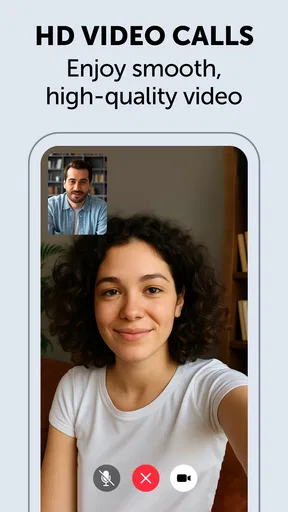
Yes, Zangi provides features like HD voice and video calls, multimedia sharing, and low data usage. One standout feature is its "Low Data Usage" mode, which allows users to communicate effectively even with limited data connectivity. The app is also ad-free, ensuring an uninterrupted and seamless user experience.
Is Zangi Private Messenger available for both Android and iOS devices?
Yes, Zangi Private Messenger is available for download on both Android and iOS platforms. It supports a wide range of devices, ensuring that users can easily access its features regardless of their operating system. You can find the app on both the Google Play Store and the Apple App Store.
How does Zangi handle data security and user information?
Zangi is dedicated to data security, employing a decentralized architecture where no data is stored on servers. This approach minimizes the risk of data breaches. Additionally, Zangi does not retain user information, adding another layer of privacy. Users can communicate freely, knowing their data remains confidential and secure.
Are there any costs associated with using Zangi Private Messenger?
Zangi Private Messenger is free to download and use, with no hidden charges for messaging and calling. However, data charges may apply based on your mobile network provider. The app prides itself on being ad-free, providing users with a clean and straightforward communication experience without unexpected costs.
